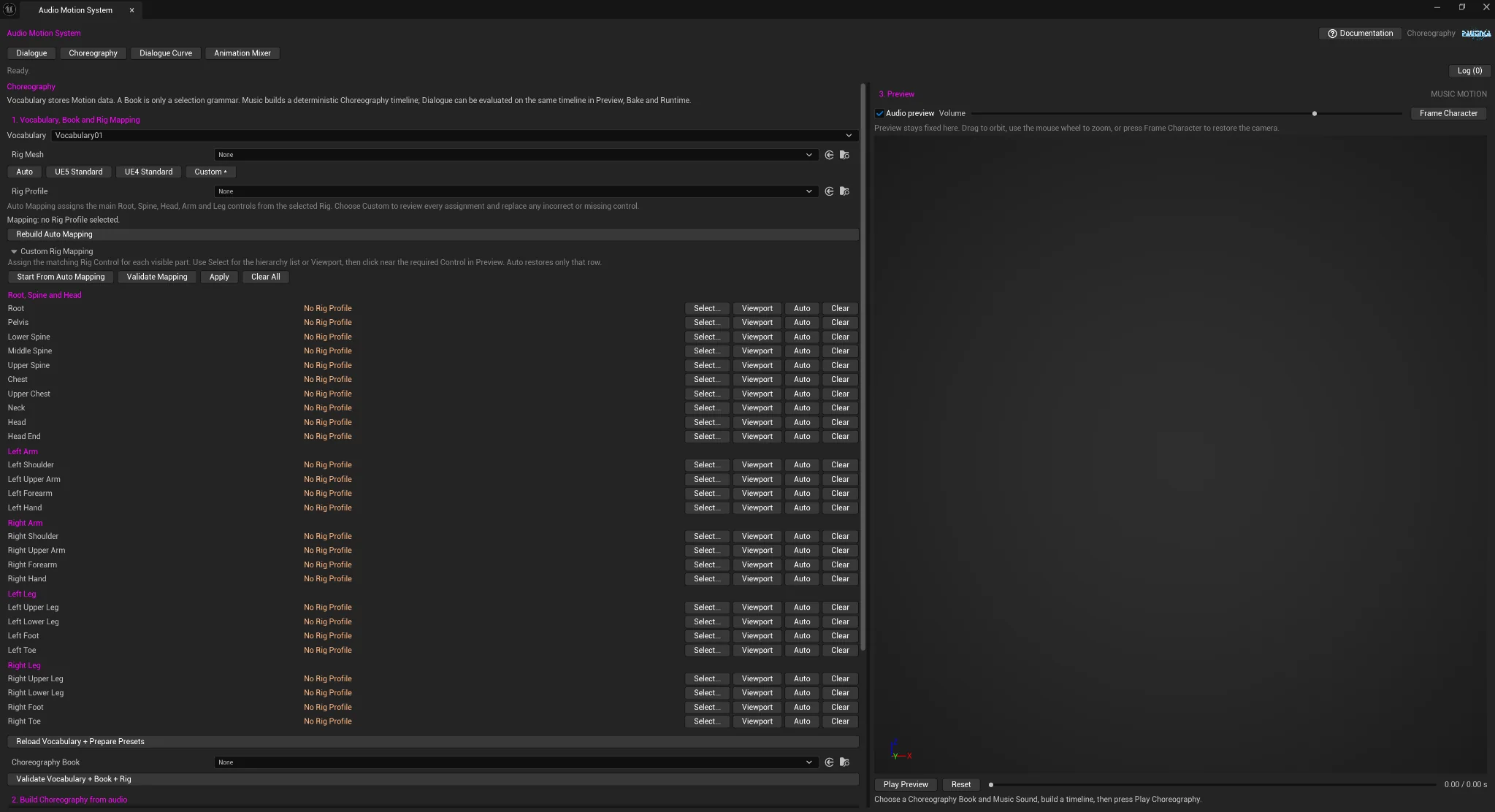
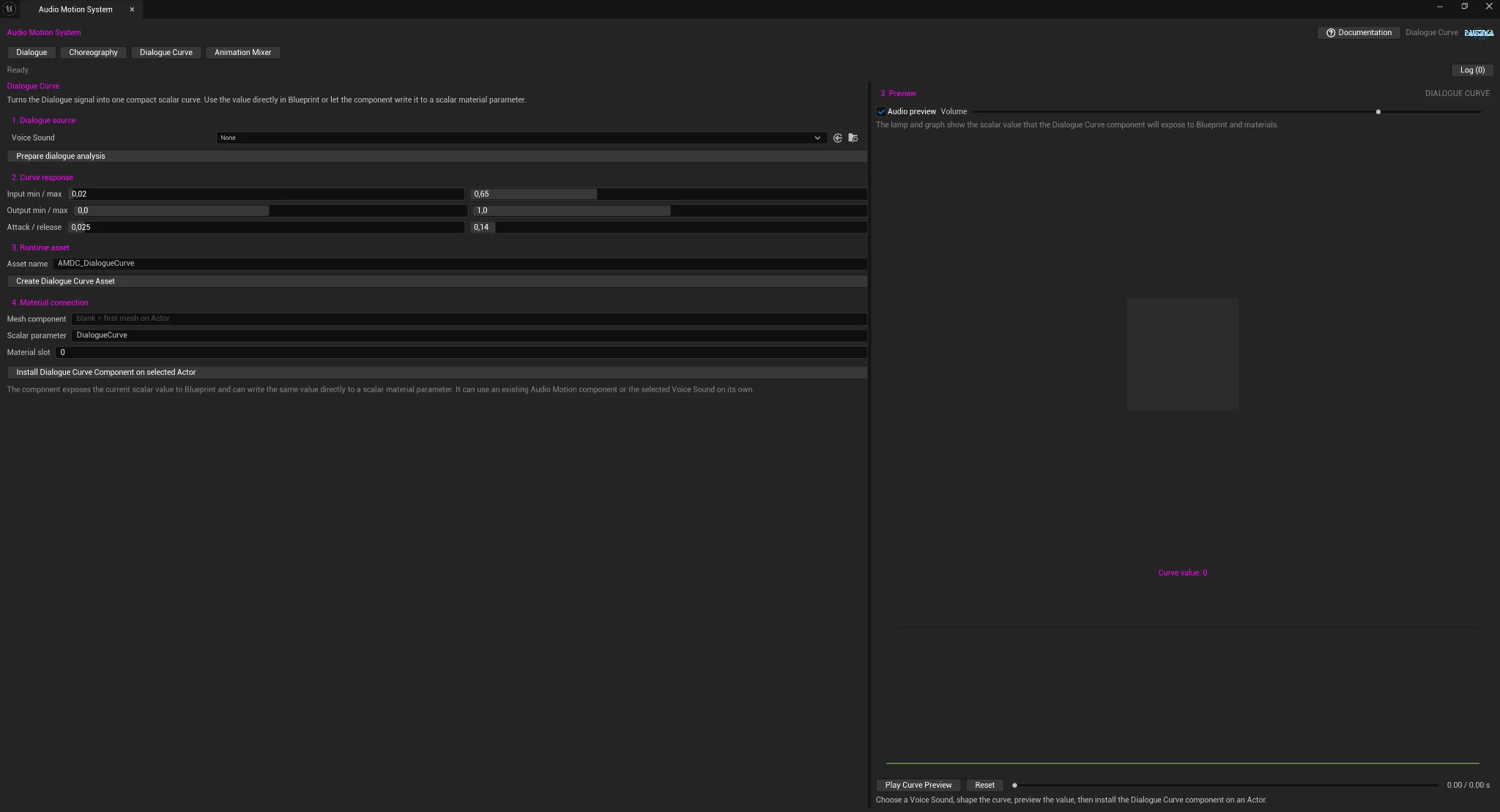
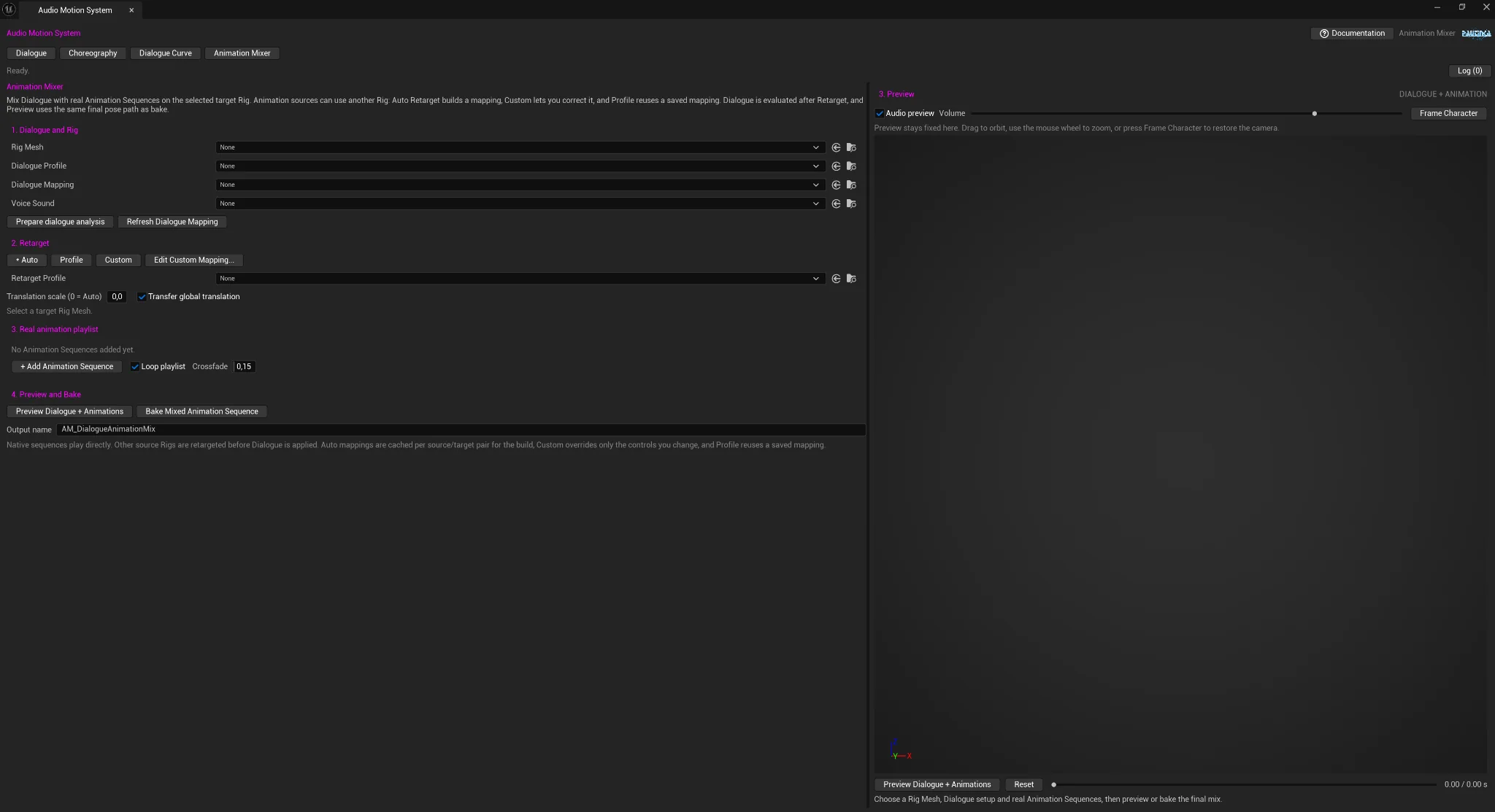
Production workflow
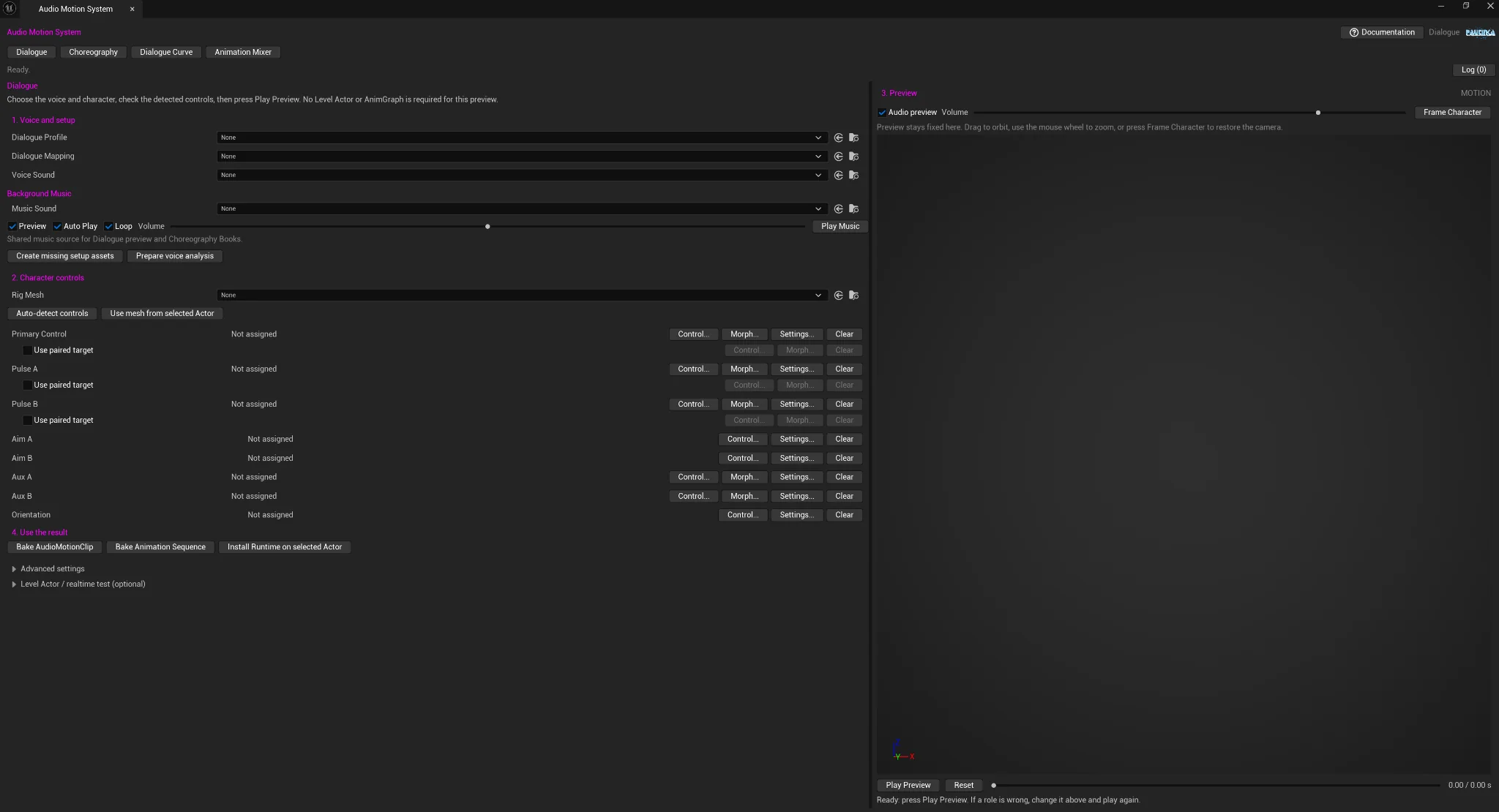
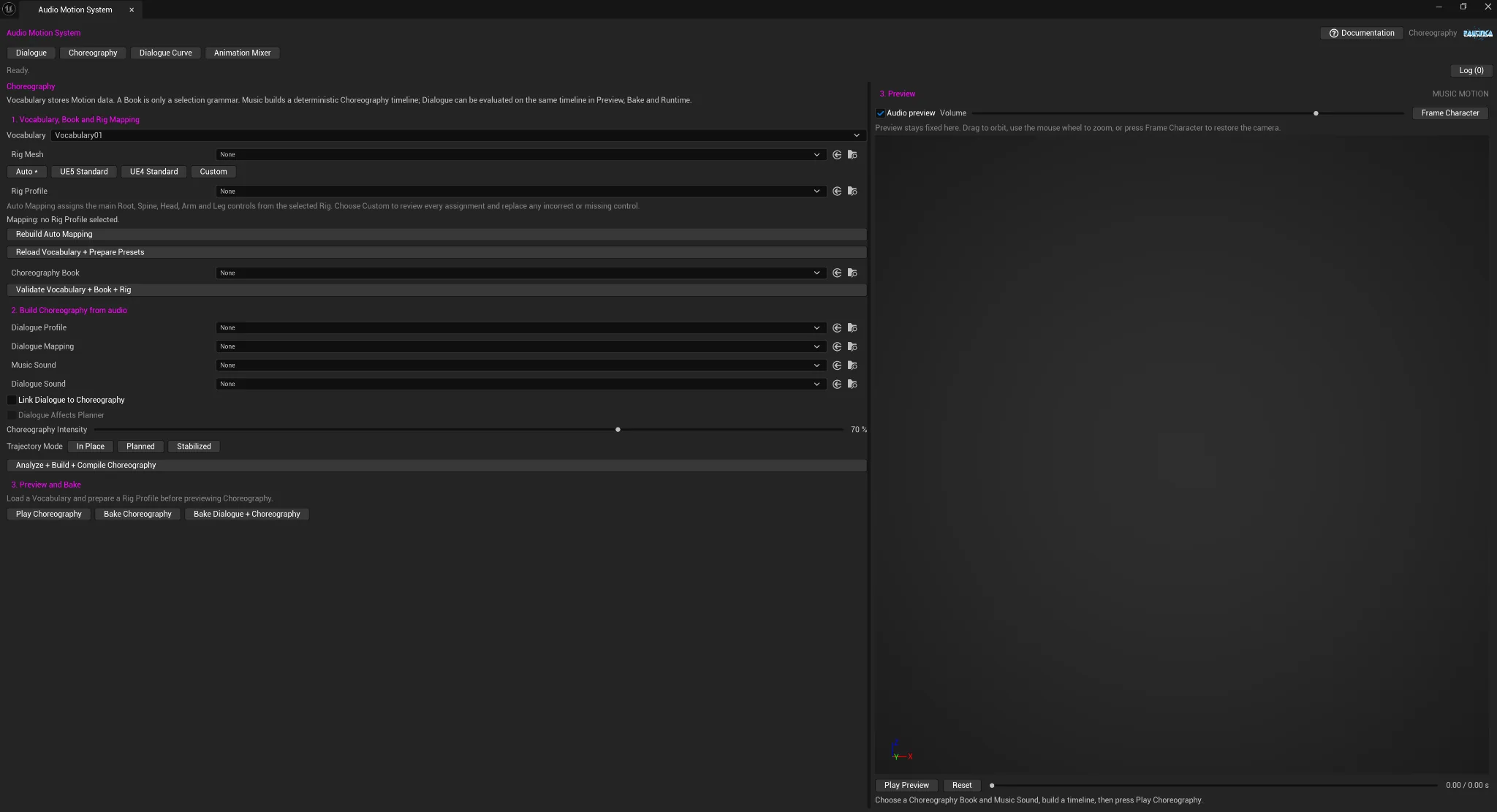
AMS turns audio analysis into reusable data and runtime control. The editor provides four focused workspaces while the runtime modules expose components, assets, Blueprint helpers, and C++ interfaces.
PAUTINKAAudio Motion System 1.0
Audio-driven runtime motion, deterministic Choreography, reusable Dialogue Curve assets, and Animation Sequence mixing for Unreal Engine.
Overview
AMS turns audio analysis into reusable data and runtime control. The editor provides four focused workspaces while the runtime modules expose components, assets, Blueprint helpers, and C++ interfaces.
Preview is intended for iteration; reusable assets and runtime components carry the result into production.
Technical information
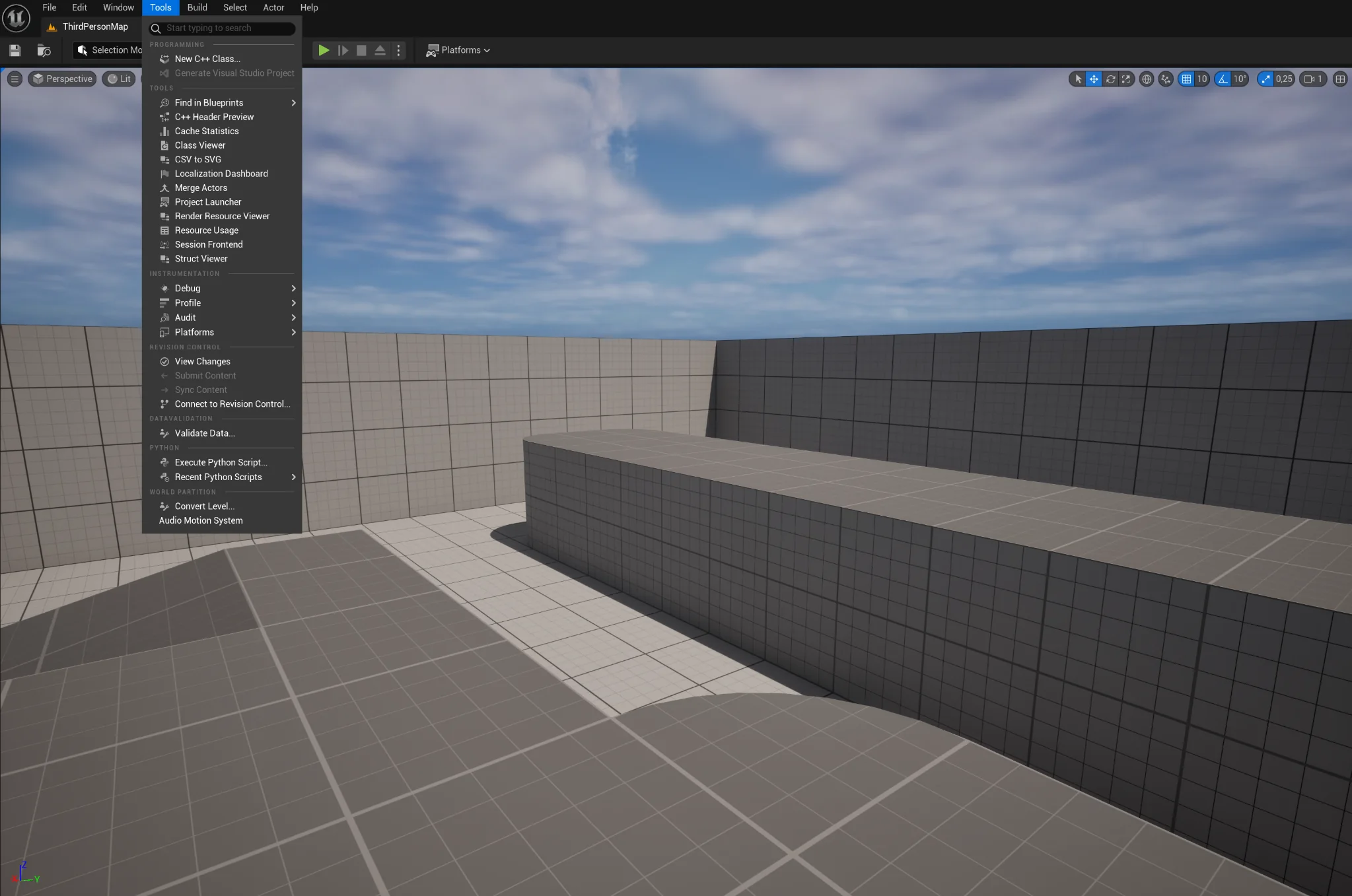
Installation
AudioMotionSystem under [Project]/Plugins/.Intermediate or Saved folders between machines.
Quick Start
Connect Audio Motion or a baked Audio Motion Clip.Voice-driven control
Music-driven Motion
Suppresses global travel.
Use for stationary playback.Uses the planned trajectory.
Use when the sequence should travel.Uses the stabilized global trajectory path.
Use when planned travel needs stabilization.
Scalar output
Create an Audio Motion Dialogue Curve asset when you need one baked scalar value for Blueprint or a material parameter.
Runtime evaluation reads the baked curve. It does not need to repeat editor analysis.
Connect Dialogue Curve Asset creates or reuses an Audio Motion Dialogue Curve component on the target Actor and starts it with the asset settings.
The current scalar is available through Get Dialogue Curve Value. If material output is enabled, the same value is written to the selected scalar parameter.
Animation Sequence + Dialogue
Builds a Source-to-Target mapping from reference hierarchy and geometry.
Native target-Rig animations bypass retargeting.Starts from Auto and lets you replace or clear the mappings that need correction.
Use for unusual or low-confidence cases.Reuses a saved Retarget Profile for a known Source / Target pair.
Best for repeated production work.
Architecture
AudioMotionRuntimeRuntimeAudio evaluation, components, Blueprint helpers, assets, mapping, Choreography data.Game + EditorAudioMotionAnimationRuntimeRuntime AnimGraph control node.Animation systemsAudioMotionEditorEditorTools window, asset factories, preview, authoring, bake, Animation Mixer.Editor onlyAudioMotionRuntime and, when needed, AudioMotionAnimation. Do not add an AudioMotionEditor dependency to shipping runtime code.The runtime module stages compact AMS Vocabulary and view files from Content/AMSData as NonUFS runtime dependencies.
*.amsvocab.json
*.amsvocabz
*.amsview.json
Project-side Vocabulary folders supported by the runtime build rules can also be staged when present.
Primary integration nodes
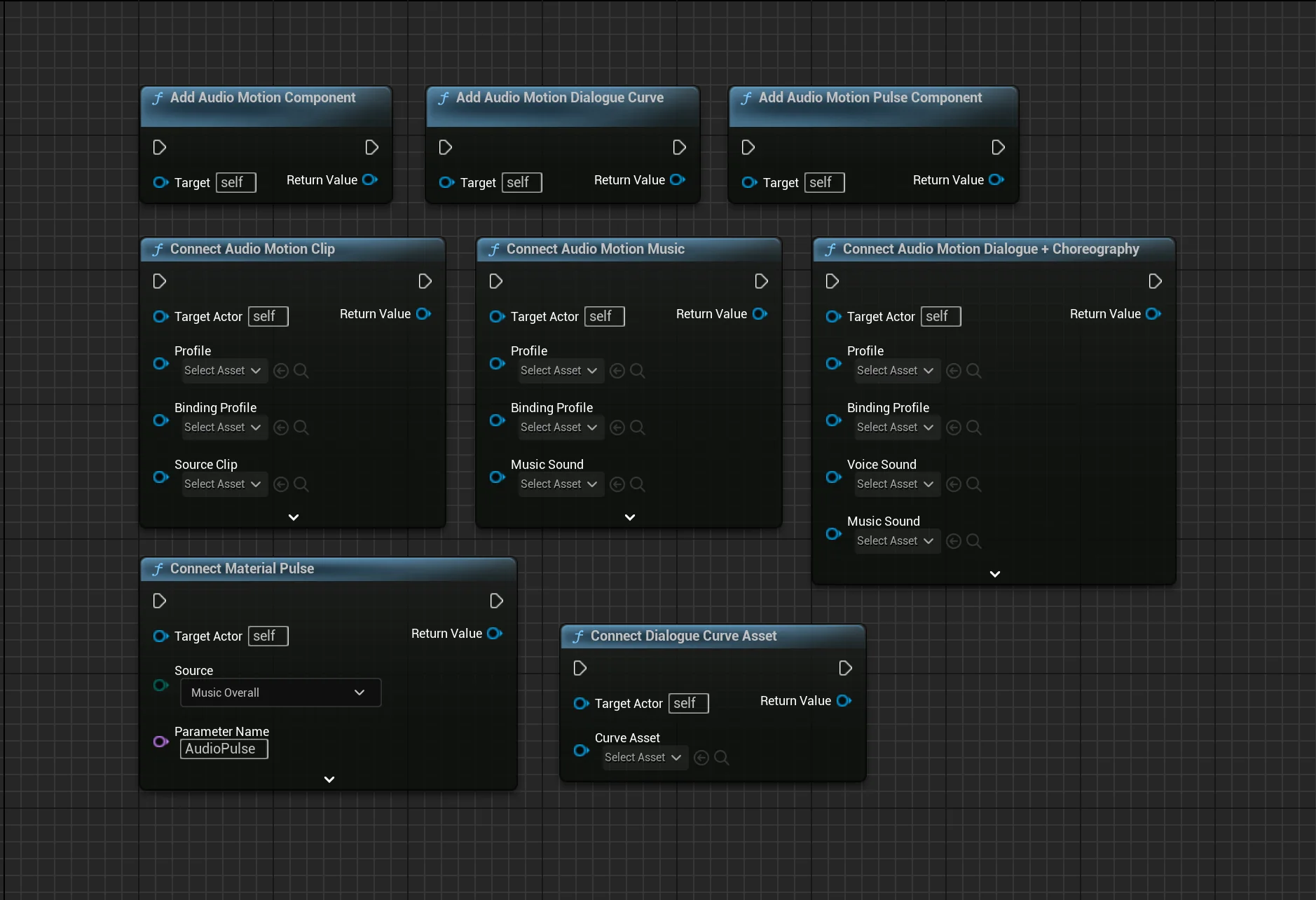
Blueprint helpers create or reuse AMS components on the target Actor. Required inputs are validated; a failed setup returns None / nullptr.
UAudioMotionComponent*Creates or reuses the main Audio Motion Component, prepares the Voice Sound path, rebuilds Dialogue bindings, connects the target Rig component, and starts processing.
UAudioMotionComponent*Connects a baked Audio Motion Clip to the target Actor. No source audio playback is required by this path.
UAudioMotionComponent*Configures the main component for music-driven processing with the selected SoundWave as Background Music. Processing can continue independently of a Voice source.
UAudioMotionComponent*Connects a Voice Sound and independent Background Music to the same Audio Motion Component. The component is configured to keep processing when the Voice playback stops so the music path can continue.
UAudioMotionComponent*Finds the first Audio Motion Component attached to the target Actor. Returns None when the Actor has no such component.
UAudioMotionDialogueCurveComponent*Creates or reuses a Dialogue Curve component and connects its scalar output to Blueprint and, by default, a scalar material parameter.
UAudioMotionDialogueCurveComponent*Creates or reuses a Dialogue Curve component and applies the complete generated Dialogue Curve asset: source sound, baked curve, response settings, loop state, material target, material slot, and parameter name.
UAudioMotionPulseComponent*Creates or reuses a compact scalar Audio Pulse component. The source can be Voice, overall music energy, frequency bands, onset, beat, or a custom Audio Motion channel.
Runtime control
Header: AudioMotionComponent.h · Module: AudioMotionRuntime
SetAudioSource(UAudioComponent*)Sets the Audio Component input and updates source state.SetSourceSound(USoundWave*)Sets the SoundWave source path.SetSourceClip(UAudioMotionClip*)Sets the baked Audio Motion Clip source.StartProcessing(bool)Starts evaluation; optionally resets playback time.StopProcessing(bool)Stops evaluation; optionally stops the source audio.ResetProcessing(float)Resets processor state to a requested time.PushEnvelopeValue(float)Supplies a manual envelope value for Manual Envelope input mode.EvaluateAtTime(float,float)Evaluates an explicit time and envelope value.EvaluateSourceAtTime(float)Evaluates the currently configured source at a requested time.ApplyExternalFrame(FAudioMotionFrame,bool)Applies a prebuilt frame and optionally applies automatic bindings.RefreshAutomaticConnection()Resolves automatic runtime target connection again.ResetAutomaticBindings()Clears cached automatic binding state.SetTargetSkeletalMesh(...)Sets an explicit target Rig component for runtime application.GetChannelValue(EAudioMotionChannel)Reads one value from the current frame.GetPlaybackTimeSeconds()Returns the current main playback clock.GetSourceDurationSeconds()Returns the configured source duration when available.IsProcessing()Returns the processing state.SetBackgroundMusic(...)Sets the independent Background Music SoundWave.PlayBackgroundMusic(float)Starts Background Music at the requested local time.StopBackgroundMusic()Stops Background Music playback.SetBackgroundMusicVolume(float)Updates Background Music volume.IsBackgroundMusicPlaying()Returns Background Music playback state.On Frame UpdatedOn Speech Value UpdatedOn Speech StartedOn Speech StoppedHeader: AudioMotionPulseComponent.h · Module: AudioMotionRuntime
Reads a selected AMS channel or standalone sound, maps it through Input/Output ranges with attack/release smoothing, optionally writes the value to a dynamic material scalar, and exposes a threshold event.
StartPulse()Starts ticking and source evaluation.StopPulse(bool)Stops evaluation; optionally stops standalone audio.SetStandaloneSound(USoundWave*,bool)Changes the standalone source and optionally plays immediately.GetPulseValue()Returns the current scalar output.On Pulse Value UpdatedOn PulseHeader: AudioMotionDialogueCurveComponent.h · Module: AudioMotionRuntime
Derived from Audio Motion Pulse Component. When a Curve Asset is assigned, its baked curve becomes the scalar source and its playback/material settings are copied into the component.
SetCurveAsset(UAudioMotionDialogueCurveAsset*,bool)Assigns the asset and optionally starts its source sound.GetDialogueCurveValue()Returns the current baked-curve scalar.Public headers
Add only the module that your own code actually uses.
PublicDependencyModuleNames.AddRange(new[]
{
"AudioMotionRuntime",
"AudioMotionAnimation" // only when your runtime animation module needs FAnimNode_AudioMotion
});
AudioMotionEditor only from an Editor module. Never make a shipping runtime module depend on the AMS Editor module.UAudioMotionComponentAudioMotionComponent.hMain runtime evaluator. Source selection, processing clock, frame evaluation, automatic connection, Background Music, channel reads.UAudioMotionBlueprintLibraryAudioMotionBlueprintLibrary.hStatic convenience layer used by the Blueprint Connect nodes. Also callable directly from C++.UAudioMotionProfileAudioMotionProfile.hPrimary Data Asset containing envelope, Dialogue, music, and evaluation settings.UAudioMotionBindingProfileAudioMotionBindingProfile.hPrimary Data Asset for target mapping. Public helpers: FindDialogueRole, EnsureDialogueRoles, RebuildDialogueBindings.UAudioMotionClipAudioMotionClip.hBaked Dialogue curves. EvaluateChannel, EvaluateFrame, BuildFromFrames, ClearClip, IsEmpty.UAudioMotionDialogueCurveAssetAudioMotionDialogueCurveAsset.hPortable scalar curve asset. EvaluateCurve and GetSourceSound.UAudioMotionPulseComponentAudioMotionPulseComponent.hScalar audio reaction component with material output and trigger events.UAudioMotionDialogueCurveComponentAudioMotionDialogueCurveComponent.hPulse-derived component that evaluates a baked Dialogue Curve asset.FAudioMotionDialogueProcessorAudioMotionDialogueProcessor.hDeterministic Dialogue processor. Reset(seed), Evaluate(...).FAudioMotionMusicAnalyzerAudioMotionMusicAnalyzer.hMusic analysis helper for SoundWave or Audio Component evaluation.FAudioMotionFrameAudioMotionTypes.hShared frame container. GetChannel / SetChannel plus Dialogue and music channel values.UAMSMotionDataSubsystemAMSMotionDataSubsystem.hEngine subsystem that loads compact Vocabulary data. ReloadData, GetVocabulary, GetDefaultVocabulary, GetVocabularyIds.UAMSMotionVocabularyAMSMotionVocabulary.hVocabulary metadata and Motion references. FindMotion, GetMotionCount, ValidateVocabulary.UAMSMotionClipAMSMotionClip.hMeasured Motion Unit data. Track evaluation, pose application, authoring validation, transition metadata.UAMSMotionLibraryAMSMotionLibrary.hPlanner-facing candidate library built from Vocabulary and Book data.UAMSPerformanceBookAMSPerformanceBook.hChoreography policy / grammar Data Asset. Built-in book helpers, validation, family rules.FAMSPerformancePlannerAMSPerformancePlanner.hDeterministic static BuildPlan interface from Book/Library + Analysis + Planner Settings into a Motion Sequence.UAMSMotionSequenceAMSMotionSequence.hScheduled Choreography sequence. Duration/time normalization, pose evaluation, compiled-track build and validation.UAMSRigProfileAMSRigProfile.hRig Mapping profile. Resolve mapping, build from reference hierarchy, manual overrides, validation, reference scale.FAnimNode_AudioMotionAnimNode_AudioMotion.hRuntime AnimGraph control node. Reads the frame from the owning Audio Motion Component by default.#include "AudioMotionBlueprintLibrary.h"
#include "AudioMotionComponent.h"
UAudioMotionComponent* ConnectAMS(
AActor* TargetActor,
UAudioMotionProfile* Profile,
UAudioMotionBindingProfile* BindingProfile,
USoundWave* VoiceSound)
{
return UAudioMotionBlueprintLibrary::ConnectAudioMotion(
TargetActor,
Profile,
BindingProfile,
VoiceSound,
nullptr,
true,
false);
}
#include "AudioMotionDialogueCurveAsset.h"
float ReadDialogueCurve(
const UAudioMotionDialogueCurveAsset* CurveAsset,
float TimeSeconds)
{
return CurveAsset
? CurveAsset->EvaluateCurve(TimeSeconds, false)
: 0.0f;
}
Assets & data types
Envelope, Dialogue, music analysis, and evaluation-rate settings.
Target mappings and generated Dialogue bindings.
Baked reusable frame-channel curves.
Source SoundWave plus one baked scalar curve and material settings.
Rig Mapping, manual overrides, topology data, reference scale.
Vocabulary metadata and references to Motion Units.
Planner candidate library built from Vocabulary and Book data.
Selection policy / grammar used by the Planner.
Scheduled Choreography entries and optional compiled track.
Editor asset storing a reusable Source/Target Mapping and translation settings.
EAudioMotionModeEAudioMotionInputModeEAudioMotionChannelEAudioMotionPulseSourceEAudioMotionTransformChannelEAudioMotionTargetTypeEAudioMotionDialogueRoleEAudioMotionDialogueTargetTypeEAMSRigProfileKindEAMSMotionSequenceModeEAMSTrajectoryModeEAMSMotionCurveModeEAMSMotionActionKindEAMSMotionPathKindEAMSMotionDirectionEAMSMotionLevelEAMSMotionTimeQualityEAMSMotionForceQualityEAMSMotionFlowQualityEAMSSupportState
Exact C++ identifiers are listed for API accuracy. The editor presents neutral display labels for the main production-facing Dialogue roles.
FAudioMotionFrameFAudioMotionMusicSettingsFAudioMotionEnvelopeSettingsFAudioMotionDialogueSettingsFAudioMotionValueMappingFAudioMotionDialogueTargetConfigFAudioMotionDialogueRoleTargetFAudioMotionMorphBindingFAudioMotionMaterialScalarBindingFAudioMotionSceneBindingFAMSPerformanceAnalysisFAMSPerformancePlannerSettingsFAMSRigSlotMappingFAMSRigManualOverrideFAMSMotionKeyFAMSMotionTrack
Asset safety
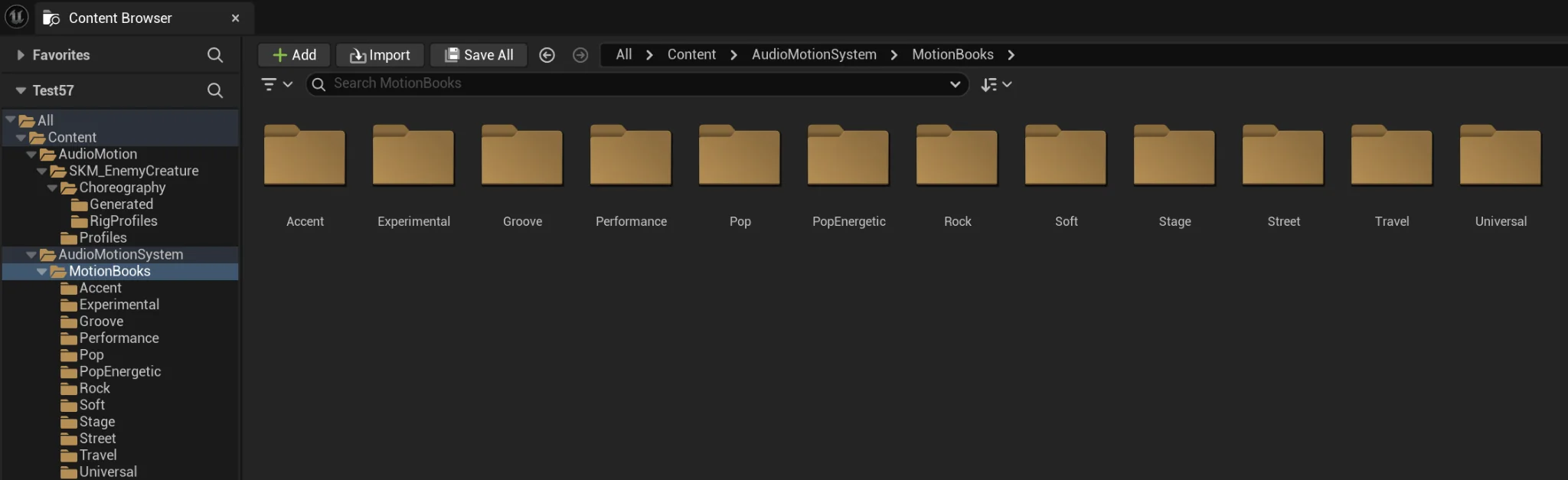
AMS uses the configured Output Folder as a root. Mesh-dependent assets are stored under a folder named after the selected Rig Mesh.
/Game/AudioMotion/
SK_MyRig/
Profiles/
Clips/
Animations/
Retarget/
Choreography/
RigProfiles/
Generated/
DialogueCurves/
Generated final assets use Unreal unique naming instead of silently replacing an existing asset.
Dialogue Curve assets are shared and are not tied to a Rig Mesh.
Compatibility
Troubleshooting
Confirm that the plugin is enabled for the project and that the Editor was restarted after activation. Also confirm that the package matches the project's Unreal Engine version.
Verify the Voice Sound analysis data, Profile/Binding Profile selection, target Rig Mesh, and automatic assignments. Review any missing or suspicious mappings before rebuilding or baking.
Validate the Rig Profile. Switch to Custom Mapping, start from the automatic base, correct only the incorrect rows, Validate, Apply, then rebuild the compiled Choreography track.
Follow the editor status message. When AMS enables the required analysis settings, save the SoundWave and let Unreal rebuild its audio analysis data before running Analyze + Build + Compile again.
Confirm that material output is enabled, the scalar parameter exists, the Material Slot is correct, and the Target Component Name either matches the desired mesh component or is left blank so AMS can use the first suitable mesh component.
Use Custom mode, begin from Auto Mapping, replace or clear only the incorrect rows, and save a reusable Retarget Profile when the Source/Target pair will be used again.
Install/use the AMS source package for that exact engine version and rebuild against that engine's supported compiler/toolchain. Do not reuse Binaries or Intermediate output from another engine version.
Pautinka
Include the Unreal Engine version, AMS version, whether the problem appears in Editor Preview / Runtime / Bake, the exact reproduction steps, and the relevant Unreal log excerpt.
For Mapping or Animation Mixer issues, also include the Source/Target Rig type and whether Auto, Custom, or Profile mode was used.
Editor authoring, reusable assets, Blueprint integration, and public C++ runtime APIs in one production workflow.